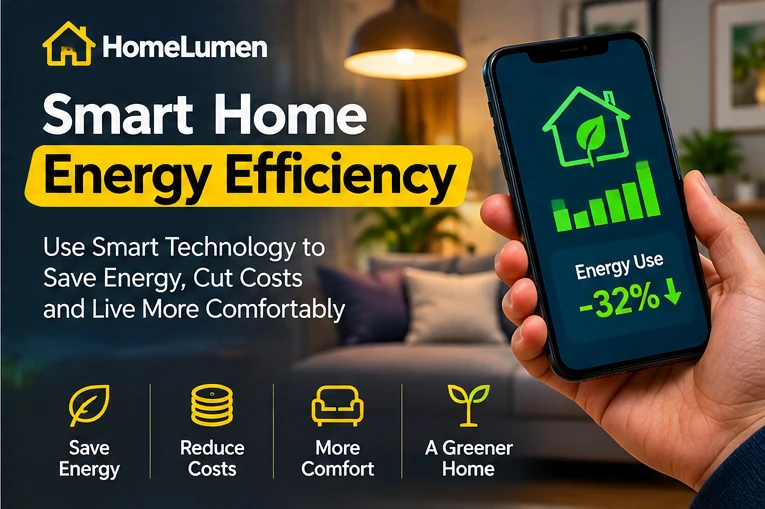
Smart Home Energy Efficiency: A Practical Guide to Managing Energy at Home
A smart home is not automatically an energy-efficient home. Connected devices can make it easier to observe and control heating, cooling, lighting and selected appliances, but the result depends on how equipment is chosen and used. The most effective starting point is a real household problem: rooms that are uncomfortable, equipment running when nobody is home, or uncertainty about where electricity is being used.
What Is Smart Home Energy Management?
Smart home energy management combines connected devices, sensors, controls and software to help households monitor or manage energy use. Depending on the system, it may display electricity consumption, adjust heating schedules, control compatible lighting, or send alerts about equipment activity.
Monitoring and control are different capabilities. A dashboard can show consumption without changing it. An automation can change equipment behaviour without explaining the resulting energy use. A useful system should make decisions clearer rather than add complexity. Before purchasing equipment, identify the question you want it to answer: which circuit uses power overnight, whether heating follows the household schedule, or whether a room is being conditioned while empty.
Start With Your Energy Data
Review bills for several months, ideally a full year. Record consumption in kilowatt-hours (kWh), billing dates, tariff details and unusual changes in occupancy or weather. Ask:
- Does consumption rise during hot or cold seasons?
- Which systems operate for long periods?
- Are rooms heated or cooled when unoccupied?
- Does the tariff vary by time of day?
- Did usage change after a new appliance was installed?
This baseline helps you decide whether a connected device addresses a meaningful issue. It also gives you a way to evaluate changes later. Compare kWh as well as bill totals: a price increase can raise the bill even when consumption stays similar.
Smart Thermostats
A smart thermostat may provide schedules, remote adjustments, temperature reports and, on some models, occupancy or learning features. These functions can help households manage compatible heating and cooling systems.
Compatibility is essential. Check the equipment type, wiring, voltage, control terminals, power requirements and regional model availability before buying. Some installations require a qualified professional. Confirm whether the thermostat controls heating, cooling or both, and whether it supports the system’s specific operating stages and accessories. A simple schedule that reflects household routines can be more useful than complicated automation that nobody maintains.
See ENERGY STAR’s smart thermostat information. Certification and product availability vary by market, so check local product details.
Energy Monitors
Home energy monitors may display whole-home electricity use or, depending on the model, selected circuits and appliances. They can help identify overnight consumption, recurring usage patterns or unexpected changes.
Check the measurement method, accuracy information, supported electrical system, data storage, update policy and privacy terms. Ask whether the monitor measures the whole home or only selected circuits; these are not interchangeable capabilities. Some devices connect to an electrical panel and require installation by a qualified electrician. Never open an electrical panel or handle live wiring unless appropriately qualified.
Smart Plugs and Lighting
Smart plugs can schedule or remotely switch compatible devices. Some also report energy use. Check voltage, current rating, grounding and maximum load. Do not use them with equipment that requires continuous power, a dedicated circuit or a load beyond the plug’s rating.
Smart bulbs and switches can provide scheduling and dimming. Connectivity alone does not make lighting efficient: suitable LED lamps, appropriate brightness and sensible switching habits remain important.
Sensors and Automation
Motion, occupancy, door and temperature sensors can trigger selected actions, such as turning on a hallway light or sending an alert when a door opens. Good automations are simple, predictable and easy to override.
Consider what happens when a sensor battery runs out, a network connection fails or a visitor uses a room differently. Do not rely on ordinary smart-home sensors as the sole control for safety-critical equipment.
Compatibility and Matter
Smart devices may use Wi-Fi, Bluetooth, Thread, Zigbee or proprietary systems. Some require a hub or bridge. Matter is an industry standard intended to improve interoperability among supported smart-home products, but it does not mean every product exposes every feature on every platform.
Check the exact model, controller requirements, supported functions and offline behaviour. See the Connectivity Standards Alliance Matter overview.
Privacy and Cybersecurity
Connected devices can collect information about household routines, device activity and sometimes audio, video or location. Review what data is collected, where it is stored and whether cloud services or subscriptions are required.
Use unique passwords, enable multi-factor authentication where available, install updates and secure the home router. Check whether the manufacturer publishes a security-support period and what happens to remote access if the service is discontinued. Disable microphones, cameras and remote-access features that are not needed. Respect the privacy of household members, visitors and neighbours.
A Simple Device Selection Checklist
Before buying a connected energy device, write down:
- The energy or comfort problem you want to solve.
- The equipment model and electrical system already installed.
- Whether the device needs a hub, bridge or subscription.
- Which functions continue during an internet outage.
- What data the device collects and how to delete it.
- How long security updates are expected to continue.
- The total cost of installation and ownership.
If the manufacturer does not clearly document compatibility, privacy or support, ask for written clarification before purchase.
Build a System Gradually
Start with one goal rather than automating the whole home. For heating control, review existing schedules before buying a thermostat. To understand overnight electricity use, record meter readings or use a suitable monitor. For lighting, prioritise efficient lamps before adding sensors.
Compare the total cost, including hubs, installation, subscriptions, batteries, maintenance and possible replacement. Define a measurable goal before installationâ€â€for example, reducing unnecessary heating hours or identifying overnight consumptionâ€â€and compare results over similar periods, allowing for weather, occupancy, tariff changes and changes in household equipment. Avoid assuming a device will produce a fixed percentage saving.
A 30-Day Starting Plan
Week 1: Collect bills and record energy use. Week 2: Choose one household problem to solve. Week 3: Check product compatibility, privacy, installation and total cost. Week 4: Configure the device safely and evaluate whether it is useful.
Frequently Asked Questions
Do smart devices always reduce electricity use?
No. They can help manage equipment, but results depend on the device, configuration and household behaviour. Connected devices may also use standby electricity.
Do I need a hub?
Not always. Some devices connect directly to Wi-Fi or another controller; others require a hub or bridge. Check the product requirements.
Is Matter compatible with every device?
No. Matter applies to supported products and features. Confirm compatibility for the exact device and platform.
What should I automate first?
Choose a repetitive, low-risk task with a clear benefit, such as controlling suitable lighting or adjusting a compatible thermostat schedule.
Conclusion
Smart-home energy efficiency is about better-informed decisions, not simply owning more connected devices. Begin with energy data, choose one priority, and select equipment that is compatible, secure, supported and easy to maintain. Device availability, electrical standards, energy tariffs and installation rules differ between countries, so confirm local requirements before purchasing or wiring equipment. For related advice, read our guides to reducing electricity bills and smart home devices.